
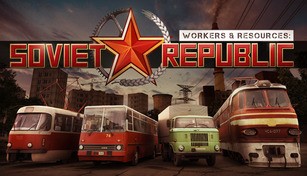
About Workers & Resources: Soviet Republic
Workers & Resources: Soviet Republic is a strategy game that allows players to experience the challenges and intricacies of managing a full-fledged socialist economy. Set in a fictional post-Soviet country, the game puts players in charge of developing industries, managing resources, and improving the living conditions of their citizens. With its detailed gameplay mechanics and realistic depiction of the economic and political aspects of a socialist society, Workers & Resources: Soviet Republic provides a unique and engaging gaming experience.
Managing Industries
In Workers & Resources: Soviet Republic, players are responsible for building and managing a variety of industries. From constructing factories and power plants to mining resources and creating transportation systems, the game offers a wide range of options to cater to different production needs. Each industry requires careful planning and consideration, as factors such as input resources, production capacity, and infrastructure must be taken into account to ensure profitability and efficiency.
Resource Management
In order to sustain the industries and meet the demands of the growing population, players must effectively manage the available resources. This involves mining and refining raw materials such as coal, iron, and oil, as well as ensuring a steady supply of food and other essential goods. Balancing the production and consumption of resources is crucial to avoid shortages or excesses, which can lead to economic instability or inefficiency.
Developing Infrastructure
An efficient transportation and infrastructure system is vital for the smooth operation of any economy. In Workers & Resources: Soviet Republic, players must carefully plan and construct roads, railways, airports, and harbors to facilitate the movement of goods and people. Developing a comprehensive and interconnected infrastructure network not only improves productivity but also enhances the quality of life for citizens by enabling faster and more convenient travel.
Citizens’ Needs and Quality of Life
In Workers & Resources: Soviet Republic, the well-being of the citizens is a key aspect to consider. Players must ensure a sufficient supply of housing, healthcare, education, and entertainment facilities to meet the needs of the population. Improving the quality of life not only boosts citizens’ happiness but also increases worker productivity and reduces social unrest. Balancing the allocation of resources between production and social services is central to maintaining a stable and harmonious society.
Political Management
In addition to economic management, Workers & Resources: Soviet Republic introduces political decision-making as an integral part of the gameplay. Players must navigate the complex political landscape, making choices that can have far-reaching consequences for the country. Managing political factions, addressing public grievances, and responding to international relations are just some of the challenges players face as they strive to create a prosperous and self-sustaining socialist republic.
In conclusion, Workers & Resources: Soviet Republic offers an immersive and challenging simulation of managing a socialist economy. With its detailed gameplay mechanics, realistic resource management, and political decision-making, the game provides an engaging and educational experience for those interested in the complexities of economic and political systems.