
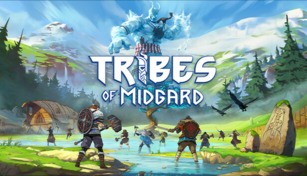
About Tribes of Midgard
Tribes of Midgard is an action-packed cooperative survival game developed by Norsfell Games. Set in a fantastical Norse mythology-inspired world, players take on the role of mighty Vikings who must defend their village from a never-ending onslaught of mythical creatures during the end of the world.
Gameplay
In Tribes of Midgard, players are tasked with protecting the Seed of Yggdrasil, a sacred tree that holds the key to saving the world. To do so, they must explore the procedurally generated world, gather resources, craft weapons and armor, and face off against a variety of formidable enemies.
The game features a day and night cycle, with each night bringing forth increasingly challenging foes. Players must strategize and work together to fend off hordes of creatures ranging from goblins and trolls to giants and dragons. As they progress, they will gather souls and acquire more powerful abilities and equipment to aid in their defense.
Additionally, Tribes of Midgard offers a unique twist with the presence of an ever-looming Ragnarok, which acts as a ticking clock. As time passes, the world deteriorates, and more powerful adversaries emerge. Players must balance their efforts between defending their village and embarking on quests to acquire powerful artifacts to ultimately battle against the gods themselves.
Cooperative Experience
The game emphasizes cooperative multiplayer play, allowing up to 10 players to join forces in defending the village. Cooperation is crucial as players must coordinate their actions and combine their unique abilities to overcome the increasingly difficult challenges thrown at them. Whether it’s constructing defensive structures, assigning roles within the village, or engaging enemies in combat, teamwork is the key to survival.
Players can tackle the game in various ways, with roles including warriors, rangers, and seers, each offering different playstyles and abilities. This diversity encourages players to experiment with different strategies and adapt to various combat situations. Communication and coordination are vital to achieving victory as teams must work together to maximize their chances of survival.
Progression and Customization
Tribes of Midgard offers a robust progression system that rewards players with experience points, unlocking new abilities, and expanding their arsenal of weapons and armor. Players can also construct buildings within their village, such as forges and workshops, to craft powerful gear and equipment to aid them in battle.
In addition to the progression mechanics, the game boasts a deep customization system, allowing players to personalize their Viking characters with various cosmetic options. From unique hairstyles and tattoos to intricate armor sets, players can create a Viking warrior that truly represents their playstyle and preferences.
Furthermore, the developers aim to provide ongoing support and updates to keep the gameplay fresh and engaging, introducing new challenges, features, and content to the game.
Conclusion
Tribes of Midgard offers an immersive cooperative survival experience set within a mythological Norse world. With its engaging gameplay, focus on teamwork, and progression system, the game provides a dynamic and thrilling adventure for players seeking a challenging and strategic cooperative experience. Whether you’re facing mythical creatures, building defenses, or exploring the vast wilderness, Tribes of Midgard promises an epic Viking saga filled with exhilarating moments and memorable victories.