
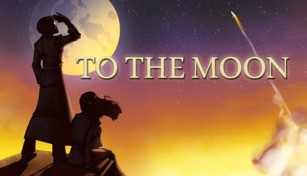
About To the Moon
To the Moon is a critically acclaimed indie role-playing game developed and published by Freebird Games. Released in 2011, the game has captivated players with its heartfelt narrative and unique gameplay mechanics.
A Bittersweet Journey
The story of To the Moon follows the journey of Dr. Eva Rosalene and Dr. Neil Watts, two doctors from the Sigmund Corp., a company that specializes in granting people’s last wishes through artificial memories. Their latest patient is Johnny Wyles, an elderly man on his deathbed who wants to fulfill his lifelong dream of going to the moon. However, Johnny doesn’t know why he has this desire, and it’s up to Dr. Rosalene and Dr. Watts to explore his memories to uncover the truth.
Throughout the game, players navigate through Johnny’s memories in reverse chronological order, unlocking his past and understanding the events that shaped his life. As they delve deeper, they unravel a story full of heartbreak, love, and sacrifice, ultimately leading to a bittersweet conclusion. To the Moon explores themes of regret, longing, and the nature of happiness, making it a deeply emotional experience for players.
A Unique Gameplay Experience
What sets To the Moon apart is its innovative gameplay mechanics. Instead of traditional combat or puzzles, the game focuses on exploration and storytelling. Players solve environmental puzzles and interact with various objects to progress through the game, uncovering more of Johnny’s memories along the way.
One of the most interesting aspects is the concept of altering memories. Dr. Rosalene and Dr. Watts use a technology that lets them enter Johnny’s memories and change specific details to fulfill his wish. This creates a fascinating dynamic as players manipulate Johnny’s past, crafting a narrative that aligns with his desire to go to the moon.
A Visual and Musical Delight
To the Moon features stunning pixel art graphics that evoke a nostalgic feel reminiscent of classic 16-bit games. The attention to detail in the pixelated landscapes and character animations adds to the game’s charm and atmosphere. Combined with its beautiful soundtrack composed by Kan R. Gao, To the Moon immerses players in an enchanting and melancholic world.
The game’s music perfectly complements the emotional narrative, enhancing the player’s experience. Each piece not only sets the mood but also serves as a reminder of the poignant moments that unfold throughout Johnny’s memories. The soundtrack, featuring hauntingly beautiful piano melodies, lingers in players’ minds long after they finish the game.
A Timeless Tale
To the Moon stands as a testament to the power of storytelling in video games. Its thought-provoking narrative, coupled with its unique gameplay mechanics and captivating visuals, has garnered wide acclaim from players and critics alike. The game’s ability to evoke strong emotions and leave a lasting impact on players makes it a must-play for anyone looking for a powerful and unforgettable gaming experience.