
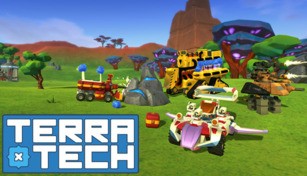
About TerraTech
TerraTech is an exciting video game that combines elements of engineering, construction, exploration, and combat. It is developed and published by Payload Studios and was first released in August 2015. The game is set in a procedurally generated open-world environment where players have the freedom to build their own unique vehicles and explore different terrains.
Customizable Vehicle Creation
One of the key features of TerraTech is the ability to create and customize your own vehicles. Starting with a basic chassis, players can attach various blocks, such as wheels, weapons, and utility modules, to design a vehicle that suits their playstyle. The game offers an extensive range of blocks with different shapes, sizes, and functions, allowing for limitless creativity in vehicle creation.
Players can experiment with different combinations of blocks to create powerful tanks, fast and nimble aircraft, or versatile multi-purpose vehicles. The customization options in TerraTech are not limited to the physical appearance of vehicles but also extend to their performance and capabilities. It is possible to tweak the weight distribution, speed, turning radius, and weaponry of a vehicle to make it more efficient and effective in battle.
Exploration and Resource Gathering
As players traverse the procedurally generated world of TerraTech, they can explore diverse biomes, including deserts, forests, mountains, and snow-covered regions. Each biome offers unique resources and challenges, encouraging players to venture out and gather valuable materials to expand their vehicle fleet.
The resource gathering process involves scanning the environment for useful minerals and ores, harvesting them with specialized tools, and then transporting them back to the player’s base. These resources can be used to construct new vehicles, upgrade existing ones, or build an array of functional structures, such as refineries and research stations.
Combat and Challenges
TerraTech features a dynamic combat system where players engage in battles against AI-controlled adversaries and other players in multiplayer mode. Armed with an arsenal of customizable weapons, players can unleash devastating attacks on enemy vehicles or strategically disable their opponents by targeting specific weak points.
Aside from direct combat, players will also encounter hostile creatures and environmental hazards that pose a threat. These challenges require the use of different tactics and strategies to overcome, making each encounter unique and exciting.
Expanding and Trading
In TerraTech, players can establish their own corporations and expand their influence by setting up multiple facilities across the world. These facilities can serve as resource collection hubs, manufacturing centers, or even research facilities.
Moreover, players can engage in trade by selling their excess resources or finished products to other corporations. This provides a way to generate income and acquire rare materials that may not be readily available in their own region. The trading aspect of the game adds depth and a sense of economic simulation to the overall gameplay experience.
Overall, TerraTech offers a unique blend of creative vehicle building, exploration, combat, and trading elements. With its open-world sandbox nature and endless possibilities, the game provides an immersive and engaging experience for players of all ages and interests.