
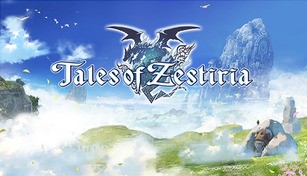
About Tales of Zestiria
Tales of Zestiria is a Japanese role-playing game developed by Bandai Namco Studios for the PlayStation 3, PlayStation 4, and Microsoft Windows. It is the fifteenth main entry in the Tales series, and was released in January 2015 in Japan and October 2015 in North America and Europe. The game follows the journey of a young man named Sorey, who is chosen to become the Shepherd, a legendary figure who has the power to purify the world and banish the malevolent force known as the Hellions.
The Story
The game is set in the land of Glenwood, a world divided into two realms: the human realm and the hidden realm of the Seraphim, spiritual beings who are invisible to humans. The Seraphim are able to manipulate the elements and exist to maintain the balance of nature. However, the harmony between the two realms is disrupted by the resurfacing of the malevolence, a corrupting force that turns humans into monsters known as Hellions.
Sorey, our protagonist, embarks on a quest with his loyal companions to free the world from malevolence. Along the way, they uncover the truth behind the ancient legends, confront powerful enemies, and face the personal struggles within themselves. The story explores themes of friendship, sacrifice, and the responsibility that comes with great power.
Gameplay
The gameplay of Tales of Zestiria emphasizes exploration, strategic combat, and character development. Players control Sorey and his party as they navigate through the world, completing quests, interacting with NPCs, and unraveling the mysteries of Glenwood. The game features a seamless open world environment, allowing players to freely explore the diverse landscapes and dungeons.
The combat in Tales of Zestiria uses a real-time battle system where players can control one character directly while the others are controlled by AI. Battles take place on a separate arena, with players being able to unleash unique skills and combos by combining regular attacks with magical abilities called Artes. Additionally, Sorey can enter a special state called Armatization, which allows him to merge with a Seraphim to gain enhanced abilities and devastating attacks.
Characters and Relationships
Tales of Zestiria boasts a cast of memorable characters, each with their own distinct personalities and backstories. Sorey, the kind-hearted protagonist, is joined by the fiery knight Alisha, the reserved Seraphim Lailah, the enigmatic assassin Rose, and many others, all of whom play important roles in the unfolding of the story.
The relationships between the characters are a central focus of the game. As Sorey deepens his bond with each party member, their trust and camaraderie grow, leading to powerful team synergies in battle. The game also explores romantic relationships between certain characters, adding an additional layer of emotional depth to the narrative.
In conclusion, Tales of Zestiria is an engaging and visually stunning RPG that combines a captivating story, immersive gameplay, and memorable characters. Whether you’re a fan of the Tales series or new to the franchise, this game offers a thrilling adventure that will keep you hooked from start to finish.