
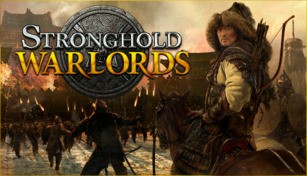
About Stronghold: Warlords
Stronghold: Warlords is an upcoming real-time strategy game developed by Firefly Studios. Set in Asia during the medieval period, the game puts players in the role of a lord commanding their own stronghold and army. With a focus on strategy and diplomacy, Stronghold: Warlords offers a unique experience for fans of the genre.
Command your forces
In Stronghold: Warlords, players have the opportunity to build and manage their own fortress while training and commanding their forces. From recruiting and training various units to strategically positioning them on the battlefield, the game challenges players to make strategic decisions that will lead to victory. Whether it is archers raining arrows from the walls or cavalry charging into battle, the choice is yours.
Master diplomacy
In addition to military might, Stronghold: Warlords also emphasizes diplomacy as a significant aspect of gameplay. Players can establish and maintain relationships with neighboring warlords, negotiating alliances or engaging in conflicts. Diplomacy plays a crucial role in building a strong empire, as it can help secure resources, gain support, or prevent unwanted attacks from rival factions.
Exploit warlords’ unique abilities
One of the standout features of Stronghold: Warlords is the inclusion of historical warlords. These warlords each possess unique abilities and can be recruited to aid your cause. From commanding powerful units to providing economic bonuses, warlords can significantly impact your gameplay strategies. Exploring each warlord’s strengths and utilizing them effectively will be key to success on the battlefield.
Build iconic Asian structures
Stronghold: Warlords offers players the opportunity to construct iconic Asian structures, showcasing the architectural brilliance of the era. From grand castles and ornate palaces to intricate gardens and defensive structures, each building serves a purpose in the game. Building a formidable stronghold that reflects the unique style of the region adds depth and immersion to the gameplay experience.
Multiplayer and skirmish modes
For players seeking a competitive challenge, Stronghold: Warlords offers multiplayer modes that allow them to engage in intense battles against friends or other players from around the world. Additionally, the game features skirmish modes that provide endless replayability, with customizable settings and AI opponents of varying difficulty levels. These modes ensure that every player can find a suitable challenge for their skill level.
Immerse yourself in the Asian medieval world
With its stunning visuals and attention to detail, Stronghold: Warlords transports players to the captivating world of medieval Asia. From the lush landscapes to the elaborate armor and weaponry, the game immerses players in a rich, historically inspired setting. Experience the customs, architecture, and warfare of the time period as you embark on a journey to conquer new lands and expand your stronghold.
In conclusion, Stronghold: Warlords promises to deliver an engaging real-time strategy experience set in medieval Asia. With a focus on strategy, diplomacy, and historical figures, players can look forward to a unique and immersive gameplay experience when it releases.