
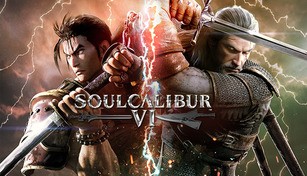
About SOULCALIBUR VI
SOULCALIBUR VI is the latest installment in the critically acclaimed fighting game series developed and published by Bandai Namco Entertainment. Released in October 2018, the game brings back the intense weapons-based combat that fans have come to love while introducing new mechanics and characters to the roster.
Story
The story of SOULCALIBUR VI takes place in a vividly detailed 16th century setting and serves as a reboot to the series’ narrative. The game primarily focuses on the eternal struggle between two legendary swords, Soul Edge and Soul Calibur. Players are taken on a journey through the intertwined destinies of various characters as they search for their own reasons to wield these powerful weapons.
Gameplay
SOULCALIBUR VI offers fast-paced and strategic gameplay, where players engage in one-on-one battles using an array of weapons and fighting styles unique to each character. The game features a mix of close-quarters combat and long-range attacks, utilizing various abilities, combos, and special moves to outmaneuver opponents.
Adding to the strategic depth, the game introduces a new mechanic called “Reversal Edge.” This technique allows players to initiate a slow-motion clash, giving them the opportunity to read and counter their opponent’s moves. Additionally, the Critical Edge attacks make a return, enabling players to unleash devastating and visually stunning attacks to turn the tide of battle.
Character Roster
SOULCALIBUR VI boasts a diverse and eclectic cast of characters, each offering a unique fighting style and personal story. Returning fan favorites like Mitsurugi, Sophitia, and Nightmare make their appearance alongside newcomers such as Grøh, a dual-wielding warrior, and Geralt of Rivia from The Witcher series, making a guest appearance.
Furthermore, the game provides an extensive character creation feature, allowing players to design and customize their own fighters, from appearance to fighting style, providing endless possibilities for personalization.
Graphics and Sound
SOULCALIBUR VI delivers stunning visuals, with meticulously animated characters and vibrant environments that bring the game’s 16th century setting to life. Each stage is beautifully rendered, complete with dynamic lighting and weather effects that further enhance the immersive experience.
The game’s audio design is equally impressive, featuring a captivating soundtrack that complements the epic battles and intense moments in the game. The sound effects and voice acting also contribute to the overall atmosphere, instilling a sense of excitement and authenticity.
Online and Single Player Modes
SOULCALIBUR VI offers a variety of game modes to cater to different preferences. Players can compete against each other online in ranked and casual matches, or engage in local multiplayer on the same console.
For those who prefer a single-player experience, the game features an expansive story mode called “The Soul Chronicle.” In this mode, players can delve deeper into the backstories of the characters and their connection to the Soul Edge and Soul Calibur swords. Additionally, a “Libra of Soul” mode allows players to create their own custom fighter and embark on a journey across the game’s world.
Overall, SOULCALIBUR VI is a must-play for both fans of the series and newcomers alike. With its compelling story, refined gameplay mechanics, diverse character roster, stunning graphics, and engaging game modes, it offers an immersive and thrilling fighting game experience that will keep players coming back for more.