
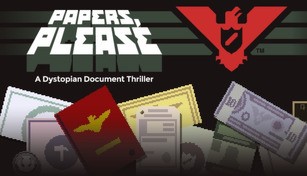
About Papers, Please
Papers, Please is a critically acclaimed indie game developed by Lucas Pope. Set in the fictional totalitarian country of Arstotzka, players assume the role of an immigration officer at a border checkpoint. The game offers a unique blend of paperwork, decision-making, and moral dilemmas, making it a captivating and thought-provoking experience.
Gameplay
The gameplay revolves around inspecting documents and making decisions regarding who gets to enter Arstotzka and who gets turned away. As an immigration officer, players must carefully examine passports, work permits, and other identification papers to ensure that they are valid and match the information provided by the applicant.
While the initial stages of the game are relatively straightforward, the complexity increases as new rules and regulations are introduced. Players must stay vigilant and pay attention to details such as expiration dates, issuing cities, and document seals to avoid letting potential threats slip through or denying entry to legitimate individuals.
Moral Dilemmas
One of the defining aspects of Papers, Please is its exploration of moral dilemmas. Players often find themselves faced with difficult choices that can have far-reaching consequences. Should a desperate mother be allowed to enter even if her documents are incomplete? Should an individual fleeing persecution be granted asylum despite lacking the necessary paperwork?
These decisions are often not clear-cut, and players must weigh the potential risks and benefits of their choices. Every action has repercussions, whether it’s providing for their family’s needs, avoiding penalties from superiors, or even facing potential threats from terrorist organizations.
The Impact of Choices
Papers, Please showcases the ripple effect of players’ decisions. The game presents various storylines and multiple endings, which depend on the choices made throughout the gameplay. These outcomes can range from personal consequences for the player’s character to broader consequences for the well-being of their family or the entire country of Arstotzka.
The game also examines the dehumanizing aspects of bureaucracy and the toll it takes on both the immigration officer and the individuals seeking entry. It delves into themes of empathy, moral compromise, and the blurred lines between following orders and doing what is right.
Critical Acclaim
Papers, Please has received widespread critical acclaim since its release in 2013. It has been praised for its innovative gameplay mechanics, thought-provoking narrative, and immersive atmosphere. The captivating storytelling and attention to detail have earned the game several awards and nominations, solidifying its status as a prominent indie gem.
Its success also speaks to its ability to tackle complex socio-political themes through the medium of gaming. Papers, Please prompts players to reflect on real-world issues surrounding immigration, bureaucracy, and morality, making it more than just a game but a powerful commentary on the human condition.
Overall, Papers, Please stands as a unique and compelling gaming experience that challenges players’ notions of right and wrong. It serves as a reminder of the power of games in exploring complex subjects and provoking reflection and empathy.