
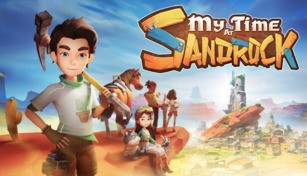
About My Time at Sandrock
My Time at Sandrock is an incredible role-playing game (RPG) that takes players on a thrilling adventure in a vast and immersive open-world setting. Developed by Pathea Games, the same studio behind the popular game My Time at Portia, Sandrock offers a unique and unforgettable gaming experience.
Embark on a Journey
In My Time at Sandrock, players assume the role of a young builder who arrives in the desolate town of Sandrock. As you explore the town and its surroundings, you’ll discover the remnants of a once-thriving civilization and encounter various intriguing characters along the way.
Embarking on a journey to revitalize Sandrock, players will find themselves faced with numerous quests and challenges that test their skills, creativity, and resourcefulness. Whether it’s constructing buildings, farming, mining, or engaging in combat, there is always something exciting to do in this dynamic and ever-evolving world.
A Living and Breathing World
One of the standout features of My Time at Sandrock is its meticulously crafted world that feels alive and bustling with activity. The developers have gone above and beyond to create a dynamic environment that reflects the day-night cycle, weather changes, and various other events.
Interacting with the townsfolk of Sandrock is an integral part of the game. Building relationships and gaining the trust of the residents can unlock valuable resources, new quests, and even special events. Each character has their own unique personality, backstory, and preferences, making the relationships feel genuine and meaningful.
Create and Customize
Building and customization are key features in My Time at Sandrock. As a builder, you have the ability to construct and design various structures, including houses, workshops, and shops. With the help of Blueprints, you can create stunning and functional buildings that cater to the needs of the townsfolk.
Additionally, the game offers a wide range of options for personalization. Players can decorate their homes, farms, and even themselves with a plethora of customization items and outfits. Let your creativity shine as you create a unique and inviting world within Sandrock.
Discover Secrets and Uncover Mysteries
Beneath the surface of this seemingly ordinary town lies a world filled with mystery and secrets waiting to be uncovered. As you delve into the depths of ancient ruins, explore hidden caves, and investigate intriguing locations, you’ll uncover a rich lore that adds depth and intrigue to the game’s narrative.
Unraveling the mysteries of Sandrock not only reveals the town’s past but also offers invaluable rewards and unlocks new gameplay elements. With each discovery, you’ll find yourself continuously engaged and captivated by the immersive storytelling.
An Exciting Adventure Awaits
My Time at Sandrock is a captivating RPG that offers a vast and immersive world to explore, filled with quests, challenges, and memorable characters. Whether you’re a fan of sandbox-style gameplay or enjoy engaging narratives, this game provides an enjoyable and fulfilling experience. So gear up, grab your tools, and set forth on an unforgettable adventure in the enchanting world of Sandrock.