
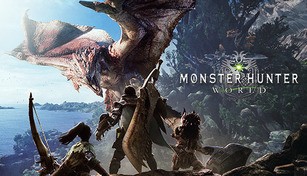
About Monster Hunter: World
Monster Hunter: World is an action role-playing game developed and published by Capcom. It was released in January 2018 for PlayStation 4, Xbox One, and later expanded to Microsoft Windows in August of the same year. The game takes players on a thrilling adventure in the New World, a vast and dynamic open-world environment filled with fantastic creatures to hunt and study. From massive, menacing behemoths to smaller, more agile monsters, Monster Hunter: World offers a wide variety of challenges and experiences for players to enjoy.
Immersive World and Engaging Gameplay
One of the standout features of Monster Hunter: World is its immersive world. The New World is beautifully realized, full of lush landscapes, diverse ecosystems, and stunning visual detail. From dense forests to arid deserts, each locale offers unique environments and a sense of living, breathing world teeming with wildlife. Players will have to navigate through different terrains, track their prey, and set up traps and ambushes to successfully take down their targets.
The gameplay of Monster Hunter: World is incredibly engaging and rewarding. Players take on the role of a hunter, tasked with exploring and studying the ecosystem while battling powerful monsters. Each hunt requires careful planning, the use of various weapons and tools, and clever strategies to exploit the weaknesses of different creatures. The satisfaction of landing a well-placed hit or witnessing a monster’s awe-inspiring animation is unmatched, making every encounter a thrilling experience.
Deep Progression and Customization
Monster Hunter: World boasts a deep progression system that hooks players and keeps them invested for hours on end. As players successfully hunt monsters, they collect valuable materials that can be used to craft new weapons, armor, and other equipment. This progression allows players to tailor their hunting style and adapt to different challenges. Whether you prefer to wield a massive greatsword or opt for nimble dual blades, there are countless options for customizing your hunter to suit your playstyle.
The extensive customization options extend beyond just armor and weapons. Players can also craft and deploy various tools and gadgets to aid them in their hunts. From a grappling hook that allows for agile movement to healing potions that can be utilized in a pinch, these tools add depth and strategic possibilities to the gameplay.
Cooperative Multiplayer Experience
Monster Hunter: World offers a robust cooperative multiplayer experience that allows players to team up with friends or other hunters online. Hunting in a group brings a new level of excitement and camaraderie as players work together to take down monsters. Coordination, communication, and a balance of different roles and weapon types are key to success in multiplayer hunts.
Furthermore, the game’s social hub, called Astera, serves as a meeting place for players to interact, craft together, and undertake multiplayer quests. The cooperative nature of the game fosters a sense of community among players, making it a highly social experience.
Overall, Monster Hunter: World offers a thrilling and immersive gaming experience with its expansive world, engaging gameplay, deep progression system, and cooperative multiplayer features. Whether you are a seasoned hunter or new to the series, it’s a game that can captivate players for countless hours as they explore and conquer the awe-inspiring world of Monster Hunter.