
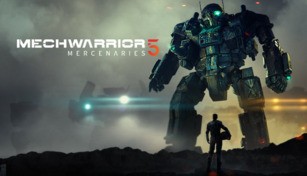
About MechWarrior 5: Mercenaries
Introduction
MechWarrior 5: Mercenaries is an action-packed video game that puts players in the pilot seat of powerful mechs. Developed by Piranha Games and released in December 2019, this long-awaited installment in the MechWarrior series allows players to immerse themselves in a dynamic and immersive universe where they lead a mercenary company in the tumultuous years of the Third Succession War.
Gameplay
In MechWarrior 5: Mercenaries, players take on the role of a rookie mercenary commander tasked with managing their own mercenary company. The gameplay primarily involves piloting mechs, giant walking war machines equipped with various lethal weapons and advanced systems. MechWarrior 5 offers an extensive selection of mechs with different sizes, classes, and loadouts, allowing players to customize and optimize their arsenal according to their playstyle. From light and agile mechs to heavy and heavily armored ones, there is a perfect mech for every situation.
Players need to carefully consider their choices when it comes to selecting mechs and loadouts for various missions as each engagement presents unique challenges. The game features both single-player and co-op multiplayer modes, where players can team up with friends to complete contracts, campaigns, or take part in intense competitive online battles. The cooperative multiplayer mode allows for up to four players to join forces and coordinate their strategies to complete objectives and maximize their chances of victory.
Career Mode & Reputation
MechWarrior 5: Mercenaries offers a deep and rewarding career mode, where players start with a small group of mechs and work their way up to becoming a renowned mercenary force. The decisions made on and off the battlefield have significant consequences in shaping the player’s reputation and determining the available contracts. Success in missions improves the player’s standing with various factions, allowing them to take on more challenging and profitable contracts.
The game also offers a robust economic system, where players must manage finances, negotiate contracts, repair and upgrade mechs, and hire and train pilots. Extensive customization options are available to create the ideal mercenary company, including selecting contracts, establishing alliances, and forging rivalries. A dynamic reputation system ensures that the player’s actions have long-term consequences, affecting their relationships with other mercenary groups, corporations, and factions as they strive to build their own empire.
Visuals and Sound Design
MechWarrior 5: Mercenaries showcases stunning visuals, bringing epic battles to life with detailed environments, destructible buildings, and breathtaking atmospheric effects. The mechs are meticulously crafted, displaying intricate details and animations that immerse players in the world of massive robotic warfare. The sound design is equally impressive, with powerful weapons firing, the stomping footsteps of mechs, and explosions adding to the overall intensity and realism of the gameplay experience.
Conclusion
MechWarrior 5: Mercenaries delivers an exhilarating experience for fans of the MechWarrior series and action-packed mech combat. With its extensive customization options, immersive gameplay, and gripping storyline set in the BattleTech universe, the game offers endless hours of excitement and challenges. Whether playing alone or with friends, MechWarrior 5: Mercenaries lets players step into the cockpit and unleash their inner mech warrior as they conquer the galaxy, one contract at a time.