
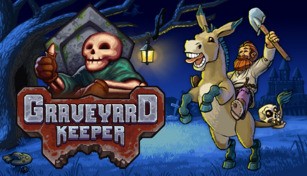
About Graveyard Keeper
Graveyard Keeper is a unique indie game that combines elements of simulation, management, and dark humor. Developed by Lazy Bear Games and published by tinyBuild, this game puts you in the shoes of a graveyard keeper who must manage a cemetery in a medieval setting.
Gameplay
In Graveyard Keeper, players are tasked with managing various aspects of a graveyard, such as burying dead bodies, maintaining graves, and performing autopsies. You’ll also have to gather resources, craft items, and complete quests to progress in the game.
One of the core mechanics of the game is the ability to dissect corpses and extract valuable resources from them. Players can find organs, blood, and other body parts that can be used for alchemy, cooking, or selling. This adds a dark twist to the otherwise mundane task of running a cemetery.
Progression and Quests
As you progress in Graveyard Keeper, new areas and opportunities will unlock, allowing you to expand your cemetery and undertake more complex tasks. Completing quests is a major part of the game, as they provide valuable rewards and help you uncover the secrets of the graveyard.
The game also features a tech tree that lets you research new technologies and unlock various upgrades. These upgrades can improve your efficiency and open up new possibilities for expanding your graveyard.
Dark Humor and Storyline
Graveyard Keeper is known for its dark humor and witty dialogue. The game doesn’t shy away from addressing topics like death, religion, and morality with a twisted sense of humor. The quirky characters you encounter throughout the game add charm and depth to the storyline.
While managing a graveyard might sound grim, the game doesn’t take itself too seriously and often introduces absurd and comical situations. This dark humor adds an extra layer of enjoyment to the gameplay experience.
Conclusion
Graveyard Keeper offers a unique blend of simulation, management, and dark humor that sets it apart from other games in the genre. Its engaging gameplay, intriguing storyline, and quirky characters make it a must-play for fans of indie games and those looking for something different. So, grab your shovel and get ready to dive into the bizarre world of Graveyard Keeper!