
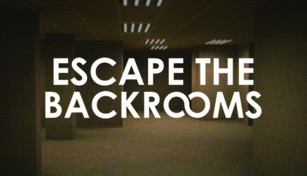
About Escape the Backrooms
Escape the Backrooms is a thrilling and immersive online game that challenges players to navigate an endless maze-like structure known as the Backrooms. With its eerie atmosphere and unexpected twists, this game provides a truly unforgettable experience for those who dare to enter. Whether you’re a fan of puzzles, horror, or just enjoy getting lost in a virtual world, Escape the Backrooms promises to keep you on the edge of your seat from start to finish.
The Backrooms: A Never-Ending Labyrinth
The Backrooms is a mysterious and apocalyptic setting that seems to exist outside of time and space. It is a vast network of interconnected rooms, hallways, and corridors that stretch on endlessly, with no discernible beginning or end. The environment is dimly lit, with flickering fluorescent lights casting long shadows and the constant hum of electrical machinery adding to the unsettling ambiance.
Players assume the role of a lost individual trapped within the Backrooms, desperately seeking a way out. However, escaping this nightmarish realm is no easy task. Each room presents unique challenges and puzzles that must be solved in order to progress further. From deciphering cryptic symbols to locating hidden keys, every step towards freedom requires wit, observation, and problem-solving skills.
An Immersive Horror Experience
Escape the Backrooms is not for the faint of heart. As players explore the labyrinthine corridors, they encounter numerous unsettling phenomena that add to the game’s horror element. Mysterious whispers echo through unseen speakers, distant footsteps can be heard, and the occasional flickering of lights gives the impression of a malevolent presence lurking just out of sight.
Visual details also contribute to the game’s creepy atmosphere. The walls of the Backrooms display faded and peeling wallpaper, stained with a sickly yellow hue. Rusty pipes and exposed electrical wiring serve as a constant reminder of the dilapidated state of this forgotten place. All these elements work together to create an immersive horror experience that will keep players on their toes throughout their journey.
Unpredictable Twists and Turns
One of the defining features of Escape the Backrooms is its unpredictability. Just when players think they have a handle on the game’s mechanics and puzzles, unexpected twists and turns throw them off balance. Doors that were once open may suddenly be locked, requiring alternative routes to be found. The layout of rooms may change, transporting players to entirely new sections of the Backrooms without warning. This element of surprise keeps players on their toes, heightening the sense of uncertainty and danger.
Furthermore, the game adapts to the choices made by players, tailoring the experience to suit their actions. This dynamic gameplay ensures that no two playthroughs are exactly alike, adding to the game’s replay value and creating a unique experience for every player.
Escape the Backrooms is a captivating and intense escape game that offers a truly immersive and spine-chilling experience. Will you have what it takes to conquer the challenges of the Backrooms and find your way back to reality? Only the brave and resourceful will succeed, so gather your courage and enter this virtual maze at your own risk.