
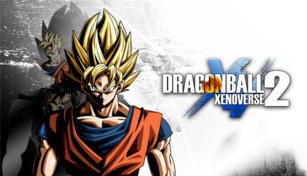
About DRAGON BALL XENOVERSE 2
Dragon Ball Xenoverse 2 is an action role-playing game developed by Dimps and published by Bandai Namco Entertainment, based on the popular Dragon Ball anime and manga series. Released in 2016, this highly anticipated sequel brings the exhilarating and epic battles of the Dragon Ball universe to your gaming console or PC.
Storyline
The game’s story is set in an alternate timeline to the original Dragon Ball series, where players are known as Time Patrollers. Their main objective is to prevent the alteration of history by villains who are attempting to disrupt the timeline and change the course of events. Players will travel through iconic moments of the Dragon Ball universe, fighting alongside their favorite characters and making sure history remains intact.
Gameplay
Dragon Ball Xenoverse 2 offers an immersive and action-packed experience, allowing players to create their own custom character and interact with a vast roster of iconic Dragon Ball characters. The gameplay revolves around fast-paced battles, where players can unleash devastating combos, use signature moves, and transform into powerful Super Saiyans or other legendary forms.
The game features a wide range of single-player and multiplayer modes, including quest and mission-based gameplay. Players can team up with friends or other players online, forming squads to take on challenging missions together. The Parallel Quests mode allows players to revisit important moments from the series or tackle unique challenges, earning rewards and unlocking new skills along the way.
Customization
Dragon Ball Xenoverse 2 offers a deep customization system, allowing players to create their own unique character from a wide selection of races, including Saiyan, Namekian, and Majin. Players can adjust different physical attributes, such as body type, height, and facial features, as well as choose from a variety of combat styles and clothing options.
In addition to the customization of the player character, the game also features a “QQ Bang” system, which allows players to mix and match equipment to create custom stat boosts. This adds an extra layer of depth and strategy to gameplay, allowing players to tailor their character’s abilities to suit their playstyle.
Expansions and Updates
Since its release, Dragon Ball Xenoverse 2 has received several expansions and updates, adding new characters, quests, and game modes. These updates ensure that players can continue to explore and enjoy the game long after its initial release, providing a constantly evolving and dynamic experience.
Expansion packs such as “Extra Pack,” “Super Pack,” and “Ultra Pack” introduce new playable characters from various arcs within the Dragon Ball series, as well as additional story content and improved gameplay features.
In conclusion, Dragon Ball Xenoverse 2 offers an immersive and exhilarating experience for both fans of the Dragon Ball series and newcomers to the franchise. With its captivating storyline, intense battles, deep customization options, and regular updates, the game continues to impress and engage players worldwide.