
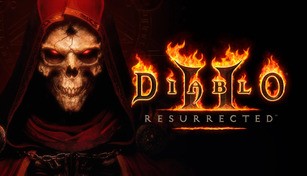
About Diablo II: Resurrected
Diablo II: Resurrected is the highly anticipated remastered version of the iconic action role-playing game, Diablo II, originally released in 2000. Developed by Blizzard Entertainment, the game brings back the epic journey of the original game with enhanced visuals, audio, and quality of life improvements while staying true to its core gameplay mechanics.
Revisiting a Classic
With Diablo II: Resurrected, players can relive the intense and dark fantasy world of Sanctuary, embarking on a quest to defeat the Lord of Terror himself, Diablo. The game transports players back to the familiar realms of the original, allowing them to explore Tristram, wage war against the forces of evil, and uncover the secrets of the Horadric Cube once again.
Enhanced Visuals and Audio
One of the highlights of Diablo II: Resurrected is its stunning visual overhaul. The game features fully remastered 3D graphics while retaining the original game’s iconic dark atmosphere. Players can witness the beautifully crafted environments of this gothic fantasy world, now presented in high definition. From eerie dungeons to sprawling fields, every location is brought to life with improved lighting, textures, and character models.
Furthermore, Diablo II: Resurrected also introduces enhanced audio design. Players can immerse themselves in the haunting melodies and ambient sounds of Sanctuary, enhancing the overall gameplay experience. Whether it’s the chilling whispers of the undead or the thunderous roars of demons, the revamped audio adds an extra layer of depth and immersion.
Quality of Life Improvements
In addition to the visual and audio enhancements, Diablo II: Resurrected brings various quality of life improvements to make the game more accessible and enjoyable for both new players and veterans. The remastered version introduces a new shared stash, allowing players to easily transfer items between their characters. The redesigned user interface provides smoother navigation and easier inventory management, streamlining gameplay.
Moreover, Diablo II: Resurrected also offers cross-progression, enabling players to continue their adventures across different platforms. With the ability to seamlessly switch between PC, consoles, and even the Nintendo Switch, gamers can enjoy the game wherever they prefer without losing their progress.
The Multiplayer Experience
Diablo II: Resurrected reimagines the multiplayer experience of the original game, introducing a revamped online infrastructure. Players can team up with friends or join forces with strangers worldwide in cooperative play, tackling tougher challenges together. The game preserves the memorable player-versus-player combat of the original, allowing for intense battles against other adventurers.
Whether playing with friends or venturing alone, Diablo II: Resurrected offers an expanded multiplayer aspect that adds depth to the already immersive gameplay.
Conclusion
Diablo II: Resurrected captures the essence of the beloved classic while rejuvenating it for a new generation of players. With its enhanced visuals, audio, and quality of life improvements, the game delivers an unparalleled Diablo II experience. Whether you are a loyal fan of the original or a newcomer to the Diablo franchise, Diablo II: Resurrected promises hours of thrilling dungeon-crawling action and epic battles against the forces of evil.