
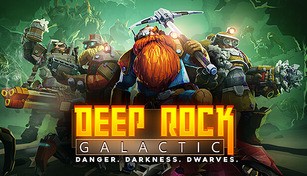
About Deep Rock Galactic
Deep Rock Galactic is a thrilling cooperative first-person shooter game that takes place in a fully destructible and procedurally generated cave system. Developed by Ghost Ship Games and published by Coffee Stain Publishing, it was released in 2018 for Microsoft Windows and Xbox One platforms and later made available for Xbox Series X/S. The game combines elements of exploration, resource mining, and intense combat, making it a unique and exhilarating gaming experience.
Explore the Caverns
In Deep Rock Galactic, players take on the role of highly skilled dwarven space miners known as Dwarven Mining Corporation employees. Their main mission is to explore the treacherous alien caves in search of valuable resources and uncover ancient alien technologies.
Equipped with state-of-the-art mining and combat equipment, players must navigate the perilous depths of the caves, which are filled with hostile creatures and environmental hazards. Each cave is procedurally generated, ensuring a new and exciting experience with every playthrough. The sense of discovery and wonder in exploring untouched caverns is a major draw for players.
Mine and Gather Resources
Mining resources is a core aspect of Deep Rock Galactic. Players are equipped with a variety of tools, such as pickaxes, drills, and explosives, to extract valuable minerals and gems from the caves. These resources can be used to upgrade equipment, unlock new abilities, and progress further in the game.
Working together as a team is crucial for efficient resource extraction. Each class of dwarf has unique abilities and tools that complement each other, encouraging teamwork and coordination. For example, the Gunner class specializes in heavy firepower, while the Scout excels in navigating the caves and lighting up dark areas. Coordinating roles within the team adds depth and strategy to the gameplay.
Intense Combat and Defense
Deep Rock Galactic also features intense, fast-paced combat against swarms of hostile creatures. These creatures range from small insect-like creatures to massive, hulking monsters. Players must utilize their weapons, gadgets, and teamwork to fend off these threats and protect themselves and their team.
In addition to combat, players are occasionally tasked with defending their mining operation against waves of enemies. These defense scenarios add an extra layer of excitement and challenge to the game. Working together to set up defensive structures and coordinating defenses becomes crucial to surviving these intense encounters.
Progression and Customization
As players progress through Deep Rock Galactic, they unlock new upgrades, weapons, and equipment. These upgrades allow them to take on more challenging missions and delve deeper into the mysterious caves. The customization options for each class provide a way for players to personalize their dwarves and make them truly their own.
Deep Rock Galactic also offers a progression system that rewards players with experience points and credits. Experience points unlock new skills and abilities, while credits can be spent on purchasing gear and cosmetics. This sense of progression and customization gives players a sense of achievement and the motivation to keep exploring and improving their dwarves.
Overall, Deep Rock Galactic delivers an action-packed and cooperative gaming experience within the unique setting of a procedurally generated cave system. The combination of exploration, resource mining, intense combat, and progression offers a well-rounded and highly engaging gameplay experience that keeps players coming back for more.