
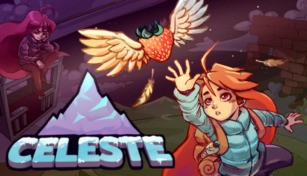
About Celeste
Celeste is a critically acclaimed and award-winning platforming video game developed by Matt Makes Games Inc. It was released in January 2018 and quickly gained a dedicated following due to its challenging gameplay, stunning visuals, and heartfelt storytelling. Set in a magical mountain, Celeste follows the journey of a young girl named Madeline as she attempts to climb to the summit, overcoming her inner demons along the way.
Gameplay
Celeste is known for its tight controls and demanding gameplay. Players must navigate through a series of increasingly difficult levels, which are filled with various obstacles and hazards. Madeline can jump, dash in any direction, and cling to walls, allowing for intricate platforming sequences that require precise timing and reflexes. The game features over 700 screens spread across eight chapters, each with its own unique challenges and mechanics.
Visuals and Soundtrack
The pixel art style of Celeste is incredibly charming, with vibrant colors and detailed environments bringing the mountain to life. Each area of the game has its own distinct visual identity, ranging from snowy peaks to lush forests and eerie temples. The animations are fluid and expressive, adding to the overall beauty of the game.
Accompanying the stunning visuals is an unforgettable soundtrack composed by Lena Raine. The music perfectly complements the gameplay, with melodic tunes that reflect the emotional depth and intensity of the journey. The soundtrack has been highly praised for its atmospheric and evocative qualities, earning it numerous awards and nominations.
Story and Themes
Celeste is not just about climbing a mountain physically but also symbolically representing Madeline’s personal struggles. As Madeline progresses through the treacherous terrain, she must confront the anxieties, doubts, and fears that have been weighing her down. The game explores themes of mental health, self-acceptance, and perseverance, delivering a powerful and relatable narrative.
Madeline encounters a variety of memorable characters throughout her journey, each facing their own inner battles. These interactions form the heart of the story and provide moments of introspection and growth for Madeline. The dialogue is well-written, filled with emotional depth and authenticity, allowing players to connect deeply with the characters and their experiences.
Reception and Legacy
Upon its release, Celeste received widespread critical acclaim and amassed a dedicated fanbase. It has been praised for its challenging yet accessible gameplay, compelling story, and beautiful aesthetics. The game has won numerous awards, including the Best Independent Game at The Game Awards 2018 and the BAFTA Games Award for Best Game Design.
Celeste’s impact extends beyond its initial release. It has sparked discussions about mental health representation in video games and has inspired an inclusive and supportive community. The game’s success has also led to collaborations and crossovers, including a playable appearance by Madeline in other indie games.
Celeste is a triumph in the world of indie gaming, offering an unforgettable experience that combines gripping gameplay, stunning visuals, and a deeply meaningful story. It continues to resonate with players, serving as a reminder of the importance of self-acceptance, perseverance, and the beauty of overcoming personal challenges.