
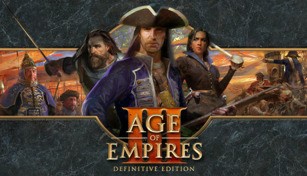
About Age of Empires III: Definitive Edition
Age of Empires III: Definitive Edition is a remastered version of the classic real-time strategy game developed by Ensemble Studios and published by Xbox Game Studios. This edition brings back the beloved gameplay of the original Age of Empires III, while also introducing stunning 4K graphics and a range of exciting new features. Let’s delve deeper into what makes Age of Empires III: Definitive Edition a must-play for both fans of the franchise and newcomers alike.
Immersive Historical Setting
Age of Empires III: Definitive Edition takes players on a captivating journey through the colonial era of the 16th to the early 19th centuries. It allows you to choose from different European civilizations such as the British, French, Spanish, Dutch, or Portuguese, each with their unique strengths and strategies. The game unfolds in various settings, from the lush jungles of South America to the snow-covered lands of North America, providing an immersive historical experience.
Enhanced Graphics and Audio
The Definitive Edition brings Age of Empires III to life like never before with stunning 4K Ultra HD graphics. The visuals have been meticulously remastered, showcasing detailed textures, improved lighting, and enhanced animations. Whether you’re witnessing the intense battles or admiring the intricacies of your bustling cities, the game’s updated graphics make every moment a feast for the eyes. Additionally, the audio has also been reworked, delivering a more immersive sound experience that further enhances the game’s atmosphere.
New Civilizations and Game Modes
Age of Empires III: Definitive Edition introduces two new civilizations to the game: the Swedes and the Incas. These unique civilizations come with their own buildings, units, and technologies, adding fresh strategies and playstyles to the mix. Moreover, the Definitive Edition includes two game modes for both competitive and cooperative play. The Historical Battles mode allows you to relive famous conflicts from history, while the Art of War challenges test your strategic skills in bite-sized scenarios.
Updated Multiplayer Experience
One of the highlights of Age of Empires III: Definitive Edition is its updated multiplayer experience. The game features cross-network play, allowing players on Steam and Microsoft Store to compete or cooperate with one another seamlessly. Additionally, with enhanced matchmaking and dedicated servers, finding opponents of similar skill levels has never been easier. Whether you prefer strategic alliances or intense competitive battles, the multiplayer component offers endless hours of engaging gameplay.
Mod Support and Enhanced Gameplay
The Definitive Edition also includes mod support, allowing players to customize their gameplay experience. Access an ever-expanding repository of user-created content, ranging from new civilizations and maps to gameplay tweaks and entirely new game modes. Furthermore, Age of Empires III: Definitive Edition presents refined gameplay mechanics, including improved AI and rebalanced civilizations, for a more satisfying and balanced experience overall.
Age of Empires III: Definitive Edition successfully revitalizes the classic game with its updated visuals, new content, and enhanced gameplay. Whether you’re a long-standing fan or a newcomer to the series, this remastered edition offers a chance to relive the epic battles and strategic depth of the colonial era. Immerse yourself in history once again and lead your civilization to victory in Age of Empires III: Definitive Edition.