
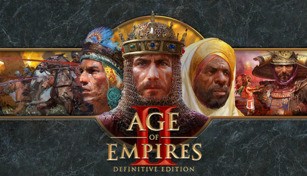
About Age of Empires II: Definitive Edition
Age of Empires II: Definitive Edition is a remastered version of the iconic real-time strategy game, Age of Empires II, which was originally released in 1999. Developed by Forgotten Empires and published by Xbox Game Studios, this edition brings back all the nostalgic gameplay elements that made the original so beloved, while adding stunning visuals and gameplay enhancements to cater to modern gaming standards.
Revamped Visuals and Audio
One of the standout features of Age of Empires II: Definitive Edition is the revamped visuals. The graphics have been completely overhauled, with beautifully detailed units, stunning landscapes, and vibrant colors. You can truly appreciate the level of craftsmanship that went into creating each aspect of the game. The improved animations and effects also add another layer of immersion to the gameplay.
In addition to the visual upgrades, the audio experience has also received a significant overhaul. The iconic soundtrack of the original game has been remastered, taking advantage of modern sound technology to deliver an even more epic and engaging experience. The sound effects have been enhanced as well, making battles and other in-game actions feel more impactful and realistic.
Enhanced Gameplay and Content
While the core gameplay mechanics remain faithful to the original, Age of Empires II: Definitive Edition introduces several enhancements and additional content to improve the overall gameplay experience. The game includes all the campaigns from the original release, along with new campaigns and civilizations, expanding the playable options and extending the longevity of the game. Additionally, the AI has been improved to provide a more challenging and realistic opponent, ensuring that every battle is as exhilarating as can be.
The developers have also introduced quality-of-life improvements, such as improved pathfinding and a more user-friendly interface. These changes aim to make the gameplay smoother and more accessible, especially for new players who may not be familiar with the intricacies of the real-time strategy genre. However, for veterans of the franchise, the essence of the original game is still there, allowing for a seamless transition into this enhanced edition.
Community-Driven Multiplayer
Age of Empires II: Definitive Edition embraces its thriving community by providing robust multiplayer options. With both competitive and cooperative multiplayer modes, players can connect with friends or challenge strangers from around the world. The improved matchmaking system ensures that you will always find opponents of similar skill levels, making for balanced and exciting multiplayer battles.
Additionally, Age of Empires II: Definitive Edition supports cross-network play, enabling players on different platforms to compete against each other. This feature further expands the player pool, guaranteeing a diverse and active multiplayer community.
Overall, Age of Empires II: Definitive Edition successfully combines the nostalgia of the classic game with modern enhancements to offer an exceptional gaming experience. With its revamped visuals and audio, enhanced gameplay and content, and thriving multiplayer community, this edition is a must-have for both longtime fans and newcomers to the series.