
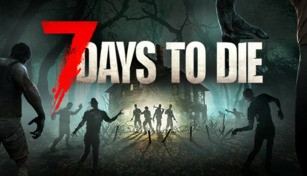
About 7 Days to Die
7 Days to Die is a popular survival horror game that combines elements of first-person shooters, role-playing games, and sandbox-style gameplay. Developed by The Fun Pimps, this open-world game takes place in a post-apocalyptic world overrun by zombies. The game puts players in a constant battle for survival as they scavenge for resources, build shelter, and fight off hordes of the undead.
Gameplay
In 7 Days to Die, players are dropped into a harsh and unforgiving world where they must navigate through various environments, including cities, forests, and deserts. Each in-game day lasts about an hour, and players must utilize their time wisely to gather materials, craft weapons, and fortify their base before nightfall. During the night, zombies become more aggressive and dangerous, posing a greater threat to the player. The game offers a variety of playstyles, allowing players to focus on exploration, crafting, or combat.
Crafting and Building
One of the game’s key features is its extensive crafting system. Players can gather resources from the environment, such as wood, stone, and metal, to create tools, weapons, and structures. From simple axes and bows to advanced firearms and traps, players have a wide range of options when it comes to crafting. Building a secure base is essential for survival, as it provides protection from the undead and other players in multiplayer mode. Strong walls, reinforced doors, and traps can be constructed to fend off the relentless zombie hordes.
Character Progression
In 7 Days to Die, players have the opportunity to level up and improve their character’s skills over time. As they gain experience points, players can invest them in various attributes, such as strength, intellect, perception, and agility. Each attribute affects different aspects of gameplay, such as weapon proficiency, crafting abilities, and stealth. This progression system allows players to tailor their character to their preferred playstyle and become more efficient in surviving the harsh world.
Multiplayer
The game also offers a multiplayer mode where players can team up with friends or join a server to collaborate or compete with other survivors. Working together can make survival easier, as players can share resources and skills. Alternatively, players can engage in PvP (player versus player) combat, raiding other players’ bases to claim their resources or engage in intense firefights for supremacy. The multiplayer experience adds an extra layer of excitement and challenge to the game.
Exploration and Quests
7 Days to Die features a vast and diverse world to explore. From abandoned cities to hidden caves, there are countless locations to discover. Exploring these areas can yield valuable resources, rare items, and hidden secrets. The game also includes various quests that provide players with goals and rewards. Completing quests can lead to special loot, blueprints for advanced items, or unique encounters with NPCs (non-playable characters).
Dynamic World and Crafting
The world of 7 Days to Die is dynamically generated, meaning that each playthrough offers a unique experience. Randomized locations, weather patterns, and enemy spawns keep players on their toes and prevent the game from feeling repetitive. Additionally, the advanced crafting system allows players to experiment and create their own unique items by combining different materials and components. This flexibility adds depth to the gameplay and encourages creativity.
Conclusion
7 Days to Die offers an immersive and challenging survival experience in a post-apocalyptic zombie-infested world. With its open-world exploration, extensive crafting system, multiplayer mode, and dynamic gameplay, the game offers hours of thrilling gameplay for fans of the survival genre. Whether playing solo or with friends, every playthrough of 7 Days to Die offers a unique and intense struggle for survival.